Why Solo Living Can Be Safer Than You Think With Tech
Living alone used to mean worrying a lot about safety. People pictured empty apartments and phones that never rang late at night. Now, more people live solo and feel safe because of new technology. Gadgets and apps watch out and call for help without stealing freedom. This shift turns solo living from a scary tightrope walk in the dark into a cozy adventure. Learn how smart tools change the game and make living alone feel exciting instead of risky. Keep reading to see how a few simple devices can unlock freedom and peace of mind.
This article explores common tools and routines that make solo living safer than you might think. You will find clear examples and practical steps that any renter or homeowner can put in place starting today.
Why solo living can be safe and practical with modern tools
Safety is not only about physical barriers. It is a mix of information flow access to rapid help and consistent routines. Technology that connects you to neighbors first responders and monitoring services fills gaps that used to make solo living feel risky.
For many people living alone means choosing devices and habits that reduce response time and increase awareness. When an alert travels a short digital route to a friend or a local contact the situation is often resolved before it becomes serious.
Basic connected security gear that changes the picture
There are simple devices that make a tangible difference in daily safety. Focus on systems that are easy to use reliable and low maintenance. The goal is constant coverage without extra friction.
Locks and entry monitoring
Networked locks and door sensors let you see when someone enters and they allow you to lock and unlock from a distance. Use unique access codes for visitors and set temporary codes for tradespeople. Logging who entered at what time creates a trail you can reference if something seems off.
Cameras and motion alerts
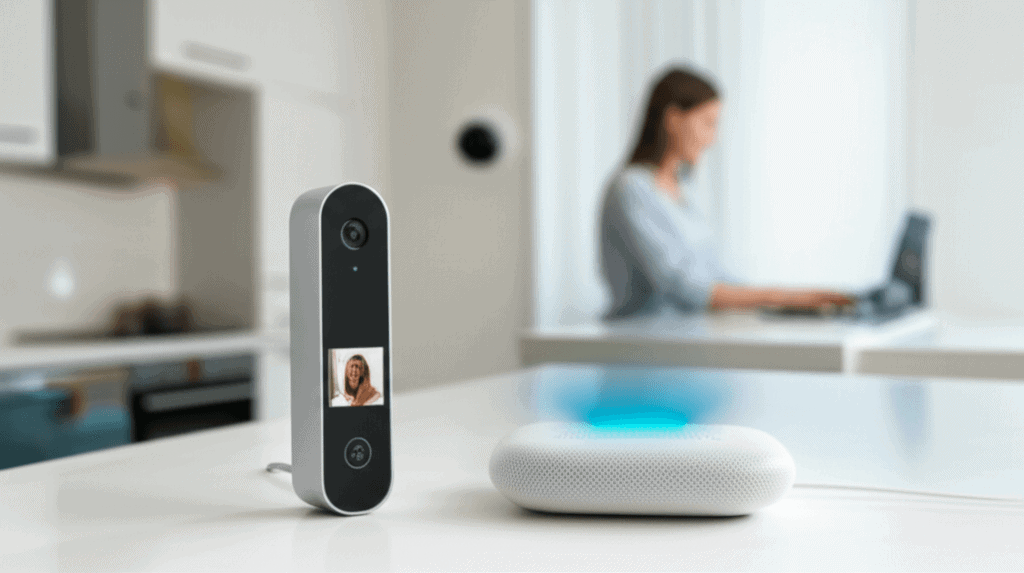
Indoor and outdoor cameras provide visual confirmation of events. Place a camera near the main entrance and one in shared external areas. Set motion alerts to go to your phone and to a trusted contact if you do not respond within a short window. Many people set schedules so the system is less noisy when they are home.
Wearable devices and emergency response options
Wearable devices can trigger emergency calls when a fall is detected or when a button is pressed. They are useful for people with mobility concerns and for anyone who wants a quick route to help. Choose a device with a reliable connection and a clear protocol for who is notified.
Several services offer one touch links to emergency dispatch. Pair that service with a local contact list so first responders have someone to talk to about your preferences and any medical needs.
Practical routines that work with technology
Tools are most effective when paired with simple habits. Build a short routine that uses tech as a prompt rather than a replacement for judgment.
- Set a nightly check that runs in under two minutes. Confirm that doors are locked lights are set and battery levels for devices are healthy.
- Schedule regular video check ins with a family member or neighbor when you will be away for extended periods.
- Use shared calendars to show trusted contacts when you are traveling so someone knows your expected return.
- Create a short emergency script with location details and health information that you can send quickly to responders.
Community tools that reduce isolation and increase safety
Neighborhood groups and local apps are powerful when used correctly. A small network of nearby people who agree to check on one another after a missed check in is one of the most reliable safety patterns.
Many apartment communities now run private chat groups where residents report concerns about maintenance or suspicious activity. Those groups provide rapid local context that remote services cannot match.
Privacy and data protection for people who live alone
Connected devices increase convenience but they also collect data. Learn what each device records and how long that information is stored. Look for settings that let you keep sensitive footage local or that limit the amount of personal data shared with third parties.
Safe account habits
Use strong unique passwords and a reliable method for recovery. Turn on account notifications for new logins and review device lists regularly. Share access only with people you trust and change codes when relationships or living situations shift.
Choosing responsible service providers
Evaluate providers for clear privacy policies and firm support channels. A good provider offers explicit steps for data deletion and a direct line to human help if there is an incident. Read customer reviews and check for recent statements about security handling.
Cost and access considerations for practical safety upgrades
Safety does not require an expensive overhaul. Start small and scale. Entry sensors and a single camera offer substantial protection at a modest price. Many local programs and insurance discounts exist for low cost upgrades that reduce risk.
- Try starter packages that bundle a connected lock one sensor and a camera with easy installation.
- Look for free or low cost apps that provide check in features and group messaging to keep local contacts informed.
- Seek community workshops about home safety where you can learn installation steps and best practices.
Where to find more real world examples and creative uses of studio setups
Stories from creators and solo professionals who use continuous access workspaces can offer fresh ideas for structuring a safe single person home. Learning how others organize their time equipment and community ties can spark solutions you can try at home.
One thoughtful resource that highlights how a single room or studio can serve as a secure creative hub and a safety minded dwelling is available if you want to read more. Click here to dive deeper on examples and the routines that make a studio both productive and safe.
Common pitfalls and how to avoid them
Some people assume a single gadget solves every risk. That is not the case. Overreliance on any one tool can create blind spots. Balance is the best approach pairing devices with human contacts and predictable habits.
- Avoid sharing one login across multiple services. A breach in one place can spread risk.
- Do not ignore maintenance. A locked battery or expired subscription creates a false sense of security.
- Do not broadcast travel plans publicly. Share trip details only with trusted contacts and scheduled check in partners.
Small projects that produce immediate gains
Begin with projects that deliver visible results quickly. These will encourage continued investment in safety upgrades and habits.
- Install a door sensor and set it to send alerts to your phone and one emergency contact.
- Set a routine alarm that reminds you to close windows lock doors and charge wearable devices.
- Draft a two sentence message with your location and a short medical note you can copy and send in an emergency.
Living alone is a choice that offers freedom and flexibility. With the right mix of connected tools local networks and simple habits it can also be a safe way to live. Start with one or two low friction upgrades and a short routine that fits your schedule. Test the setup with a trusted contact and review performance after a month. If you want case studies or concrete layout suggestions for setting up a studio that functions as a secure living and working space there are resources and community stories that can help you adapt ideas to your needs.
Conclusion
Solo living need not be synonymous with vulnerability. Technology provides fast links to help and clear feedback about the state of your home. Combined with local social ties and predictable routines these tools change the balance toward safety. Focus on easy wins that cost little but raise awareness. Use a mix of door sensors cameras wearable triggers and a small network of people who will check in when you cannot respond. Protect account credentials and choose services with transparent privacy terms. Test systems periodically and maintain batteries and subscriptions so that the tools you rely on remain ready.
Start today by picking one small project you can finish in a weekend. Install a sensor program a weekly check in and tell one trusted neighbor what you are doing. As you gain confidence expand to a second device that fills a remaining gap. If you want inspiration and practical setups for a studio designed to stay productive and safe consult community written examples and guides. Take action now and turn solo living into a secure steady positive experience.